REVIEW · FLORENCE
Florence Audioguide – TravelMate app for your smartphone
Book on GetYourGuide →Operated by MyWoWo Srl · Bookable on GetYourGuide
Florence is better when you can go at your own pace. This self-guided audio guide in the TravelMate app lets you roam the city while a digital guide explains history, points of interest, and local curiosities. I like that you can replay the content as many times as you want for 1095 days after first activation, and that you can use it online or offline. The one thing to consider is that audio quality depends on your phone and headphones, and a small number of users reported parts not playing correctly.
This setup is also practical. There is no meeting point to hunt down, and no paper tickets to collect, so you can start wherever you’re standing. You’ll also find a quiz section to test what you picked up along the way, and you can read the text for the audio files inside the app if you prefer. If you’re the type who likes a plan but hates being herded, this fits.
In This Review
- Key Things to Know Before You Start
- A Florence Self-Guided Day in Your Pocket
- Price and Timing: Why $6 Actually Makes Sense Here
- Getting the TravelMate App and Your Activation Code
- Offline Listening and the Small Tech Checklist
- Your Florence Routing: How to Think About the 89 Stops
- Florence Introduction and Local Cuisine: Get Oriented Fast
- Accademia and San Marco: Early Morning Art Focus
- Brancacci Chapel: A Short Stop With Big Payoff
- The Cathedral Area and Medici Chapels: Power in Stone
- Orsanmichele and San Lorenzo: Street-Level Meaning
- Palazzo Medici and Bargello: Civic Florence, Not Just Church Florence
- Piazza della Signoria and Palazzo Vecchio: The City’s Outdoor Stage
- Piazza Annunziata and Via De’ Tornabuoni: Details That Make Florence Feel Real
- Uffizi: The Big Museum Moment
- Boboli Gardens and Palazzo Pitti: Slow Time on the Other Side
- Ponte Vecchio and Santo Spirito: River Views With Real Atmosphere
- Piazzale Michelangelo: The View Track
- Santa Croce and Santa Maria Novella: Church Stops Done Right
- Quiz Section: Tiny Learning Without Feeling Like Homework
- Who This Works Best For (And Who Might Want Something Else)
- Should You Book the Florence Audioguide on TravelMate?
- FAQ
- FAQ
- Is there a meeting point for the Florence Audioguide on TravelMate?
- How much does the Florence Audioguide cost?
- How long is the TravelMate guide valid after activation?
- How many audio contents are included?
- Can I listen offline or do I need internet?
- Does the app only offer audio, or can I read text too?
- What languages are available?
- Is the audioguide accessible for wheelchair users?
- Where do I find my activation code?
- Is there any cancellation option?
Key Things to Know Before You Start

- No meeting point, no paper tickets: download, activate, and start immediately on your schedule.
- 89 audio stops in 263 minutes: enough for a long day, or smaller chunks across multiple visits.
- Offline or online listening: helpful when signal gets spotty around major churches and museums.
- Text and audio both available: you can switch modes if you want to skim or double-check details.
- Multi-language support: Italian, English, German, Russian, Spanish, Chinese, French.
A Florence Self-Guided Day in Your Pocket

This is one of those rare travel products that behaves like a classic guidebook, but without the weight and without making you follow a rigid route. You open the TravelMate app, press play, and you get guided commentary while you’re actually looking at the sights in Florence. If you’re used to walking with a tour in your ear, it feels familiar—just more flexible.
The content is professionally produced, with authors described as high-level and voice work attributed to TV and radio professionals. Translation? The audio is built to be listened to in real life, not just as a museum narration you’d enjoy on a couch. The guide also includes a quiz section, which is a nice way to keep you awake while waiting in line or catching your breath on a hot sidewalk.
Value-wise, the price is $6 per person. That’s the kind of cost where you don’t have to justify it like a museum ticket. The real question is how often you’ll use it—because it stays valid for 1095 days from first activation, so you can revisit Florence (or re-listen on future days in town) without paying again.
You can also read our reviews of more tours and experiences in Florence



Price and Timing: Why $6 Actually Makes Sense Here

Let’s talk value plainly. You get 89 audio pieces totaling 263 minutes—about 4 hours and 23 minutes—of guided Florence content. You don’t have to listen to everything in one day. Many people will do it like a playlist: a stop or two in the morning, more art mid-day, and a couple of views near sunset.
Also, the validity window is generous: 1095 days, meaning exactly three years from when you activate. That’s great if your trip turns into a multi-day Florence repeat, or if you want to come back later and build your knowledge step by step.
There’s one practical timing tip: if you plan to use offline mode, download or prepare ahead of time when you still have decent internet. That’s not a “nice to have.” It’s how you prevent the most frustrating scenario: you arrive somewhere important and the audio won’t load when you press play.
Getting the TravelMate App and Your Activation Code
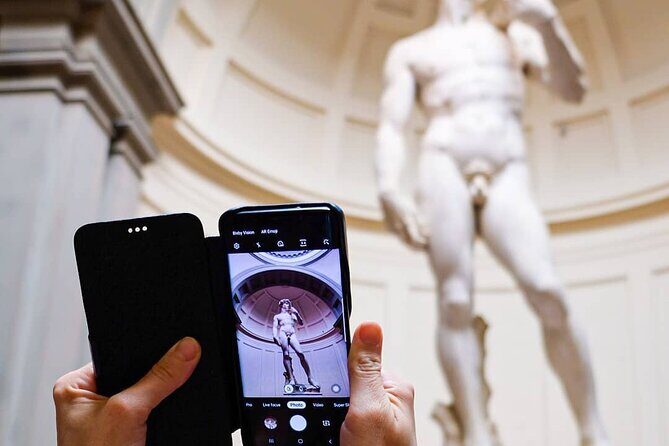
There’s no meeting point because you start straight away after downloading. For Android, you download an app called TRAVELMATE from the Play Store. For iOS, you download TRAVELMATE TM from the App Store.
Your activation code is sent by email. You’ll look for the activity details area, then show ticket details. From there, you open a barcode in an orange frame, and the activation code is the 10-digit number under the barcode. If you’re using the GetYourGuide app, there’s also a Show ticket in the App option where you can access the same barcode and code.
Once the app is active, the rest is simple. You don’t pick up anything physical, and you don’t need to carry printed papers. You just use your phone—so you control your own device, your own headphones, and (most importantly) your own volume.
Offline Listening and the Small Tech Checklist

You have the option to listen online or offline. That flexibility is useful in Florence because coverage can vary block to block, especially near large buildings with heavy stone walls. Offline mode helps you stay calm and keep walking.
Before you head out for a full day, do a quick tech check:
- Use earphones for better listening (recommended).
- Play one or two audio tracks indoors first to confirm sound levels.
- If the app supports it in your setup, download for offline use before you leave Wi-Fi.
One more note from real-world experience: sound issues can ruin even a great guide. The content is there, but if your phone misbehaves, you’ll think the guide is broken. So test early. It takes two minutes and can save you from losing the whole morning.
Your Florence Routing: How to Think About the 89 Stops

You’re not locked into an “official” tour route. The guide covers a list of highlights across Florence, from major museum zones to neighborhood churches and viewpoints. In practice, the easiest approach is to group stops by area so you don’t zigzag across town all day.
The audio set includes:
Florence Introduction; Accademia; Bargello; Boboli Gardens; Brancacci Chapel; Cathedral; Medici Chapels; Orsanmichele; Palazzo Medici; Palazzo Pitti; Palazzo Vecchio; Piazza Annunziata; Piazza della Signoria; Piazzale Michelangelo; Ponte Vecchio; San Lorenzo; San Marco; Santa Croce; Santa Maria Novella; Santo Spirito; Uffizi; Via De’ Tornabuoni.
If you plan it like a loop, you’ll cover a lot without feeling like you’re running. Think: start with art, then move into the big civic squares, then finish with river views and a sunset lookout.
- Tuscany Day Trip from Florence: Siena, San Gimignano, Pisa and Lunch at a Winery
★ 5.0 · 21,634 reviews - The Best tour in Florence: Renaissance & Medici Tales – guided by a STORYTELLER
★ 5.0 · 12,316 reviews






Florence Introduction and Local Cuisine: Get Oriented Fast

Start with the Florence Introduction. It’s the kind of track that helps you interpret what you’re seeing instead of just naming it. It sets the tone for why Florence looked the way it did, and why the city’s power shows up in art, architecture, and church spaces.
Then add the Wonders of local cuisine. This is more than trivia. It helps you connect the city’s culture to what you’ll actually eat and notice on the street. If you like food as part of your sightseeing, this section gives you permission to look for meaning in the menu and not just the view.
A small practical move: use the cuisine content before you choose a meal. You’ll make better decisions because you’ll know what to look for and what matters locally.
Accademia and San Marco: Early Morning Art Focus

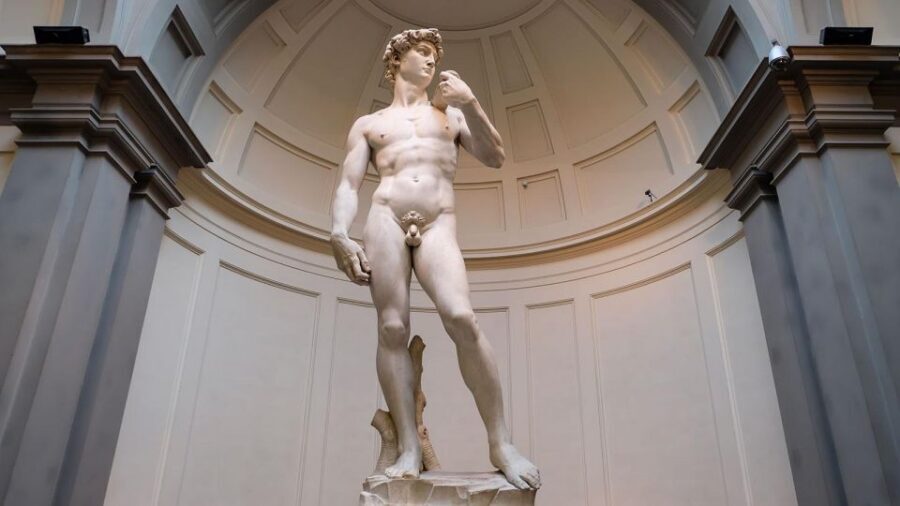
The guide includes Accademia and San Marco, both tied to Florence’s art legacy. Accademia is the classic “start here” museum stop, and the audio approach works well because it gives context while you’re standing in front of works. You don’t need to memorize dates. You just need to know what you’re looking at and why it mattered.
San Marco is another place where the audio guide can help your visit feel less like a checklist. Churches and monastic sites can blur together if you don’t have a narrative. The audio gives you a path through the space, pointing out what’s worth attention.
Tip: If you’re going to do museums on a schedule, start these early in the day while energy is high. Florence museums can drain you faster than you expect.
Brancacci Chapel: A Short Stop With Big Payoff

Brancacci Chapel is included for good reason. It’s one of those Florence locations where art history isn’t abstract—it’s visible. The audio helps you track the significance of what you see, so you’re not just looking at paintings without knowing what changed.
The drawback here is the same as with most famous indoor spaces: you’ll want quiet focus. If you’re walking with noisy crowds or struggling to hear over your own phone audio, your experience can get clipped. Earphones help, and taking a breath before you press play helps too.
The Cathedral Area and Medici Chapels: Power in Stone

The guide covers the Cathedral and the Medici Chapels, plus connections to nearby landmarks like Orsanmichele and San Lorenzo. This cluster is where Florence’s political and religious influence feels most physical. The audio approach is perfect because it can explain why certain families and institutions shaped what you see.
The Cathedral stop helps you understand the big picture: why Florence built so boldly, and how architecture becomes a statement. The Medici Chapels add a different angle: instead of “look at the building,” you get “look at what people wanted remembered.”
If you want a smooth day, do this area after you’ve done one museum. You’ll already have art context, so the churches won’t feel like a random detour.
Orsanmichele and San Lorenzo: Street-Level Meaning
Orsanmichele is a great example of why an audio guide helps. If you pass by on foot, it might look like just another church block. In audio form, it becomes a place with a story tied to civic life and identity.
San Lorenzo is similar. Without guidance, it’s easy to focus only on what’s immediately obvious. With the audio, you’re nudged toward details you might otherwise miss, so the visit feels purposeful rather than rushed.
Practical tip: pace yourself in church spaces. Use the audio to set direction, then pause in silence for a minute to actually see. Florence rewards slow looking.
Palazzo Medici and Bargello: Civic Florence, Not Just Church Florence
The guide includes Palazzo Medici and the Bargello, and this is where you get a broader view of Florence beyond religious spaces. Palaces explain wealth and influence. Bargello brings a museum setting that can be more structured and easier to do in a single chunk.
Audio works well here because it can connect the buildings to the people who lived around them—without requiring you to read a textbook on-site. You’ll feel how power moved through Florence, not just how churches and paintings survived time.
If you like architecture and art together, this portion is a strong reason to buy the app.
Piazza della Signoria and Palazzo Vecchio: The City’s Outdoor Stage
Piazza della Signoria and Palazzo Vecchio are included, and this is where Florence goes from interior to public. These spaces are designed for watching and being watched. The audio guide can explain what you’re seeing in the squares so you don’t treat the area like an open-air photo stop.
Palazzo Vecchio, in particular, benefits from a guided narrative. It’s an important civic symbol. When you understand that, you look differently at details that would otherwise feel random.
Do this as a mid-day or early afternoon stop when you can take a slower pace. The square is popular. If you’re fighting crowds, use the audio to get your bearings quickly, then step aside when you want a clearer look.
Piazza Annunziata and Via De’ Tornabuoni: Details That Make Florence Feel Real
The guide includes Piazza Annunziata and Via De’ Tornabuoni. I like these stops because they remind you Florence isn’t only museums and giants. Streets and squares give you texture: the everyday rhythms that exist alongside famous monuments.
Via De’ Tornabuoni, for example, is a great walk because it’s a direct line through a different side of the city—more grounded, more urban, and often more “liveable” than the postcard zones. The audio helps you read the street like a story, not just a corridor between landmarks.
Uffizi: The Big Museum Moment
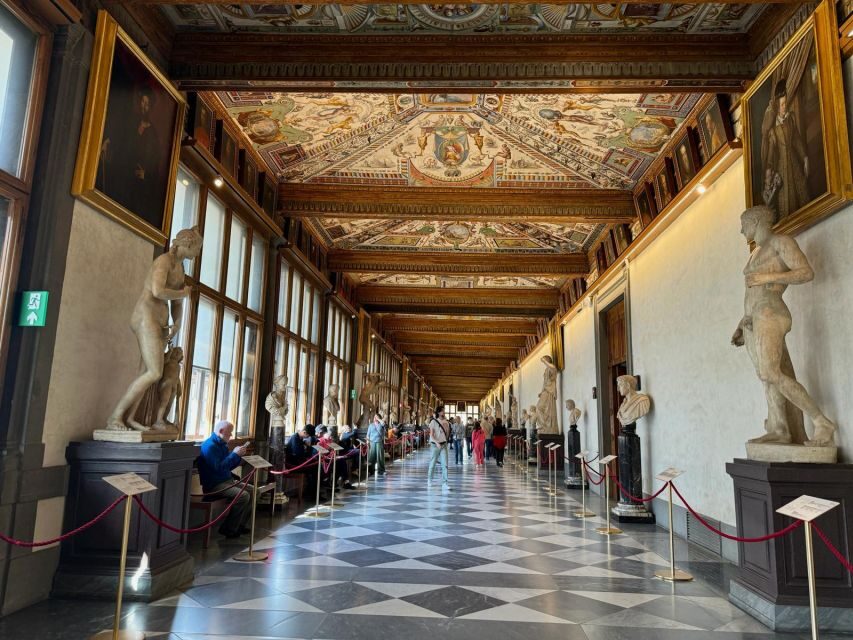
The audio list includes Uffizi, and this is where your listening strategy matters. The Uffizi can take over your day if you’re not careful. Audio won’t replace your eyes, but it can help you pick an approach.
Instead of trying to absorb everything, you can treat the audio as a highlight path. You’ll get context while you’re facing a major work, and then you can move on before fatigue kicks in.
If you’ve got limited time, this is one of the most valuable places to use the guide because museum interpretation can otherwise feel overwhelming. The audio acts like a filter.
Boboli Gardens and Palazzo Pitti: Slow Time on the Other Side
The guide includes Boboli Gardens and Palazzo Pitti. This is a good zone for listeners who like breathing room. Gardens change your pace. Palaces give you scale. Combined, they feel like a “second chapter” after the denser museum and church areas.
Audio is helpful here because outdoor spaces can make it hard to remember why something matters. The guide can keep you oriented—what to notice and how the place connects to Florence’s wider story.
Also: this is a place where you might want offline listening. You don’t want your phone scrambling for signal while you’re enjoying a quiet walkway.
Ponte Vecchio and Santo Spirito: River Views With Real Atmosphere
Ponte Vecchio and Santo Spirito are included, which means your audio guide doesn’t stop at the major monuments. The river crossing is one of the classic Florence moments, and the audio can give you enough context to turn a view into an experience.
Santo Spirito brings you into Oltrarno vibes. Even if you don’t know the building inside and out, audio guidance can help you look at a church space the way locals might—patiently, with attention to what’s special.
A good move here: plan a short listening session at the bridge, then use the rest of the area for wandering. Let the sound guide you, but don’t force the itinerary to do all the work.
Piazzale Michelangelo: The View Track
Piazzale Michelangelo is included, and that’s your “reward stop.” This is where you can pause, listen, and then look out over the city. Audio guidance helps because it can explain how the city’s layout makes sense, not just what you’re seeing.
I recommend treating this as a timing anchor. Go here when the light feels right for you. If you’re doing a “just walk until it looks good” day, this audio stop helps you decide when to stop.
Santa Croce and Santa Maria Novella: Church Stops Done Right
The guide includes Santa Croce and Santa Maria Novella. Both are major church sites, but they don’t have to feel like repeat experiences if your audio prompts your attention differently.
Santa Croce can feel like a warm, public kind of church experience—while Santa Maria Novella often feels more structured and art-focused. The audio guide’s job is to keep your brain from treating all churches as the same kind of room.
If you’re tired, these are the places where you can switch to a slower strategy: read the text version in the app if you want, then listen only to the parts you care about most.
Quiz Section: Tiny Learning Without Feeling Like Homework
The app includes a quiz section with short questions about the city. I like using this during a break, like right after a museum or while you’re taking a pause before dinner. It helps you lock in what you just absorbed, and it’s a quick reset for your brain.
It’s also a nice workaround if you’re the kind of person who tunes out narration. The quiz nudges you back into engagement.
Who This Works Best For (And Who Might Want Something Else)
You’ll likely love this if you want control. If you hate meeting points, hate paper tickets, and want to walk freely with guidance, this is a strong match.
It’s also a good fit if you value replay. A guide that stays usable for three years is ideal if you’re the kind of traveler who revisits places or likes learning slowly.
The main reason to hesitate is the reliance on your phone audio performance and app playback stability. If your audio setup is unreliable, or if you’re entering places where you can’t hear well, you’ll feel it immediately. In that case, doing a quick test before leaving is your best insurance.
Should You Book the Florence Audioguide on TravelMate?
Yes, I’d book it if you want a low-cost way to add real context to Florence without the hassle of tours. At $6, it’s an easy yes for anyone who plans to walk a lot and wants guidance that you can replay for years.
Skip it only if you know you hate self-guided audio, or if you expect to rely on a phone with inconsistent sound or spotty playback. If you’re bringing good headphones and you’re comfortable using your phone as your guide, this is a practical, flexible companion for Florence.
FAQ
FAQ
Is there a meeting point for the Florence Audioguide on TravelMate?
No. There is no meeting point. You download the app, activate it, and start your experience wherever you prefer.
How much does the Florence Audioguide cost?
The price is listed as $6 per person.
How long is the TravelMate guide valid after activation?
It is valid for 1095 days from the first activation.
How many audio contents are included?
There are 89 audio content items, with a total duration of 263 minutes.
Can I listen offline or do I need internet?
You can listen online or offline.
Does the app only offer audio, or can I read text too?
You can also read the text of the audio files in the app.
What languages are available?
The guide is available in Italian, English, German, Russian, Spanish, Chinese, and French.
Is the audioguide accessible for wheelchair users?
Yes, it is listed as wheelchair accessible.
Where do I find my activation code?
You can find the 10-digit activation code in the email, under the barcode shown when you open activity details. It can also be accessed through the GetYourGuide app under Show ticket in the App.
Is there any cancellation option?
Free cancellation is listed as available up to 24 hours in advance for a full refund.

More Self-Guided Tours in Florence



More Tour Reviews in Florence
- Tuscany Day Trip from Florence: Siena, San Gimignano, Pisa and Lunch at a Winery
★ 5.0 · 21,634 reviews - The Best tour in Florence: Renaissance & Medici Tales – guided by a STORYTELLER
★ 5.0 · 12,316 reviews