
REVIEW · FLORENCE
Uffizi Gallery skip-the-line ticket & self-guided visit APP
Book on GetYourGuide →Operated by CAF Tour & Travel · Bookable on GetYourGuide
A museum this famous can feel intimidating. This one keeps things simple with a phone app and a self-guided plan. You get the Uffizi Gallery with audio commentary, plus an interactive 3D map that helps you navigate without dragging a group along.
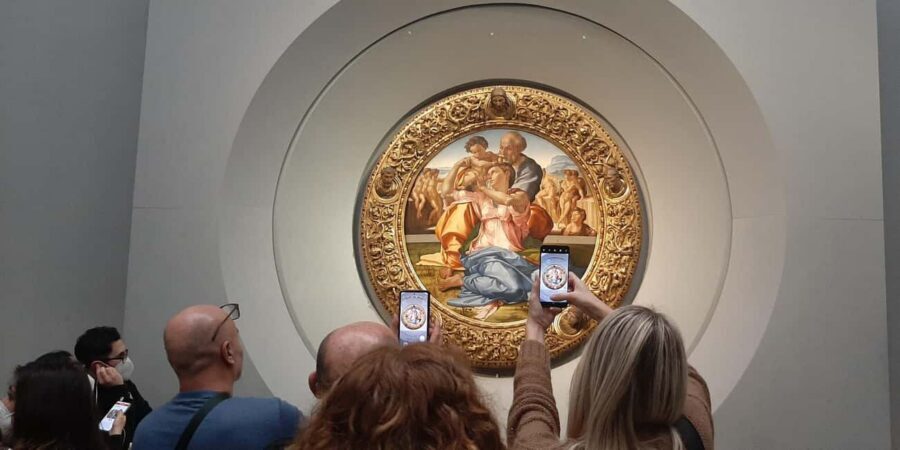
I especially like the freedom to linger. You can pause on the paintings you actually care about, like Botticelli’s Birth of Venus or Michelangelo’s Tondo Doni, and move on when you’re ready. I also like that the audio tour is multi-language and designed to work at your pace, not someone else’s.
One caution: the value depends on smooth tech and entry. The skip-the-line claim and the audio app are the two weak spots to watch, so come prepared with a charged smartphone and your own headphones.
In This Review
- Key highlights to know before you go
- Uffizi in your pocket: how the APP visit actually works
- Door n. 1 entry: the skip-the-line part and what to watch
- Audio tour, 3D map, and icons: the navigation system you’re relying on
- Your one-day Uffizi plan: pacing a museum with serious masterpieces
- Giotto: Ognissanti Madonna
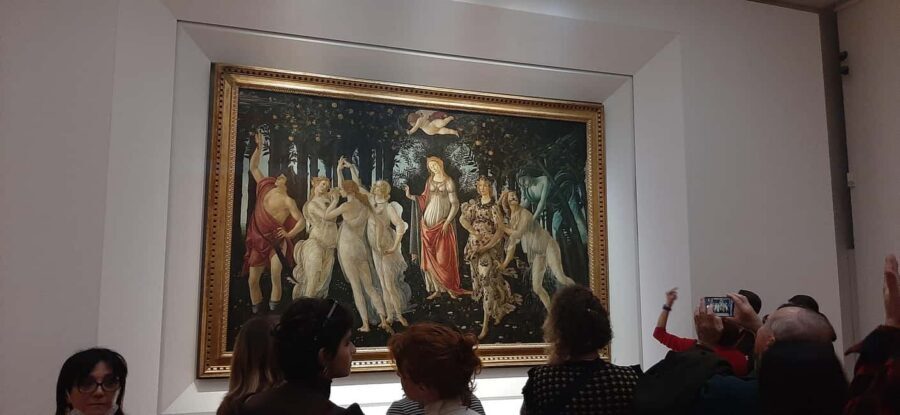
- Botticelli: Spring and Birth of Venus
- Leonardo: Annunciation and Adoration of the Magi
- Michelangelo: Tondo Doni
- Caravaggio: Bacchus
- What you’ll likely do inside: a practical route you can control
- Price and value: is $61.49 worth it?
- Who this fits best (and who should think twice)
- Should you book this Uffizi skip-the-line APP ticket?
- FAQ
- How much does the Uffizi Gallery skip-the-line ticket with APP cost?
- How long is the ticket valid?
- Where do I meet the assistant?
- What will the assistant look like?
- How do I get my skip-the-line ticket and APP access?
- Do I need my own smartphone?
- Are headsets included?
- What languages is the audio available in?
- Is the experience suitable for children?
- What is the cancellation policy?
Key highlights to know before you go
- Skip-the-line ticket tied to Door n. 1: your entry point is reserved for booking holders.
- Self-guided audio tour on your smartphone: you control the pace.
- Interactive 3D map with icons: it’s meant to help you orient through the galleries.
- Multi-language audio: Chinese, English, French, German, Italian, Spanish.
- Headsets are not included: plan on using your own headphones.
Uffizi in your pocket: how the APP visit actually works
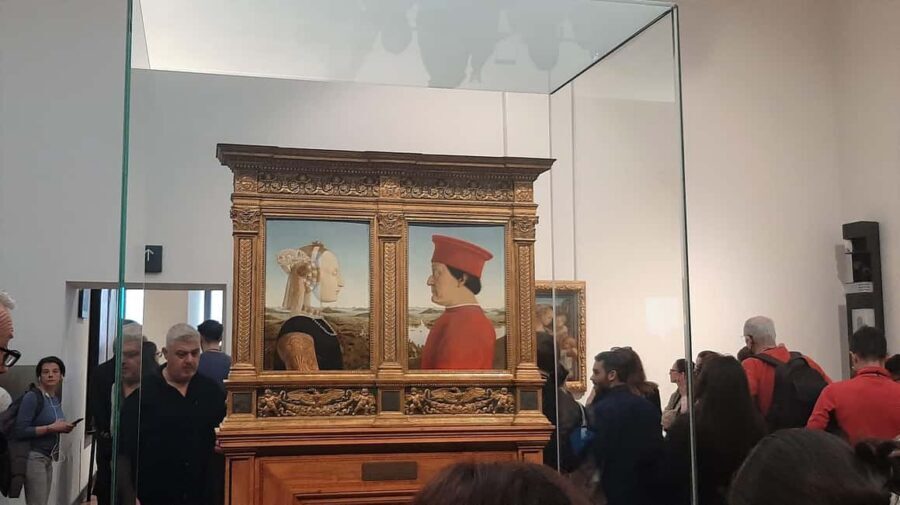
This experience is built around your smartphone, not a traditional group guide. You arrive, get your access code and ticket at the entrance, and then the museum visit runs through an app you download ahead of time. It’s a practical setup for a museum that can swallow an entire day if you’re not careful.
The core idea is simple: use the app’s audio commentary while you walk. The app also includes an interactive 3D map and icons, which matters more than it sounds. In the Uffizi, it’s easy to lose your bearings when you’re surrounded by famous works and crowded rooms. A map that helps you track where you are, and what you’re looking at, saves you time and frustration.
You’ll also appreciate the “do it your way” format. Instead of marching from highlight to highlight, you can slow down where the art grabs you. That’s a big deal with the Uffizi, where the difference between a quick glance and a focused look can be the difference between seeing a painting and actually understanding it.
You can also read our reviews of more tours and experiences in Florence



Door n. 1 entry: the skip-the-line part and what to watch

The meeting point is close to door n. 1, which is specifically reserved for booking holders. When you show up, an assistant wearing blue clothing with Caf Tour and Gray Line logos is there to help you.
Here’s the practical point: your skip-the-line experience is only as good as how smoothly the reserved entry works that day. At least one person’s experience highlighted a problem where the ticket didn’t bypass the main line, leading to extra waiting. I’m not saying it will happen to you, but you should treat this as a “tech + entry coordination” product.
What you can do to reduce the risk:
- Go early enough that you have buffer time before you feel rushed.
- When you reach the entrance area, follow the assistant’s instructions closely about where to line up.
- Have your smartphone ready so you’re not fumbling while others are already moving inside.
If everything clicks, you’ll walk in with less time wasted. If it doesn’t, you’ll still be inside the museum using the audio tour plan, but you’ll have paid specifically for saved time—so keep an eye on that at the door.
Audio tour, 3D map, and icons: the navigation system you’re relying on

This is a self-guided visit, which means your main “guide” is the app. The audio commentary is designed for multi-language listening, and the app uses an interactive 3D map plus on-screen icons to support the route.
That matters for two reasons.
First, listening through headphones keeps your experience personal. You’re not competing with group chatter or waiting for someone to catch up. Second, the map helps you connect what you’re hearing with where you are in the gallery. It’s the difference between “great content” and “content that keeps you oriented.”
Do plan around one simple reality: headphones are not included. The tour instructions are clear that you need your own smartphone and hearphones (headphones). One downside that showed up in real-world experiences is that the audio on the phone can fail. That can leave you trying to troubleshoot mid-visit, and that’s when costs creep up if you need an alternative audio solution on site.
Before you head out, do two quick checks:
- Make sure your smartphone is fully charged.
- Bring wired or Bluetooth headphones you’re confident work in public spaces.
If your phone battery is low or the app doesn’t behave well, the museum becomes a walk instead of a guided experience. With a place this big, that’s not the best version of the Uffizi.
Your one-day Uffizi plan: pacing a museum with serious masterpieces

The ticket is valid for 1 day, and you choose from available starting times. That means you’re not stuck with a rigid schedule once you’re inside. The best way to use a one-day Uffizi visit is to decide what kind of visit you want:
- A focused art-moment day: hit the major works that match your taste and give yourself time to actually look.
- A balanced highlights day: use the app to guide you from room to room without doing a full survey.
- A slow-and-choose day: use the app for context, then branch off to linger where you’re captivated.
Because you’re self-guided, the “itinerary” is really the sequence you follow in the galleries, guided by what the app points you toward. The experience includes audio commentary for major Renaissance names and key works, including the following you should expect to see referenced prominently:
Giotto: Ognissanti Madonna
This is the kind of work that rewards careful looking. When you stand close, you can start noticing how the figures are posed and how the expression carries the scene. Giotto’s style is a useful anchor point in the museum because it helps you understand the Renaissance shift from earlier approaches toward more human realism.
Tip: Don’t rush the faces. The audio commentary is there to help you notice what your eyes might otherwise skip.
You can also read our reviews of more guided tours in Florence






Botticelli: Spring and Birth of Venus
These paintings are famous for a reason, but they’re also easy to reduce to their most iconic images. The app’s audio commentary format is helpful because it can guide you toward the meaning behind the symbols, figures, and the overall composition.
Tip: Spend extra time on Birth of Venus if you want a deeper look. Use the map to reposition so you’re not constantly backtracking.
Leonardo: Annunciation and Adoration of the Magi
Leonardo is a master of storytelling through structure and detail. When you see the Annunciation, focus on how the scene is arranged and how the figures’ relationships create the drama. For the Adoration of the Magi, look at how the composition pulls your eye across the group.
Tip: If you’re one of those people who reads every placard, you’ll still enjoy the audio because it adds a second layer of context while you’re standing right in front of the work.
Michelangelo: Tondo Doni
This one often feels like a “quiet intensity” among louder masterpieces. The figures and the circular format encourage you to look in patterns, not just straight lines. It’s also a good stop for resetting your brain after more complex scenes.
Tip: Let the app audio cue you first, then take your own time afterward.
Caravaggio: Bacchus
Caravaggio’s presence brings a sharper realism that can change your mood in the gallery. Bacchus is a good example of how light and attitude do part of the storytelling. If you usually like drama in art, this can be a strong emotional payoff.
Tip: Don’t turn your eyes away too fast. The emotional impact is in small cues, and audio context helps you catch them.
What you’ll likely do inside: a practical route you can control
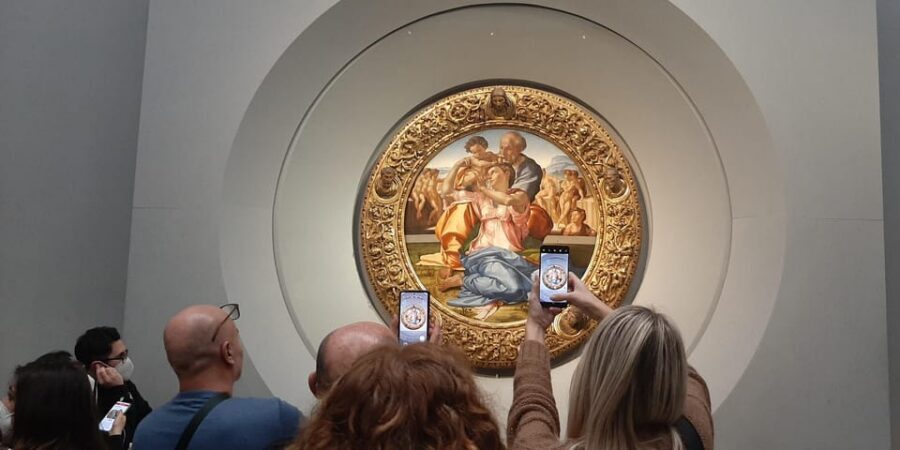
Because this is a self-guided experience, you don’t follow one fixed tour script. But you can build a smart loop.
I suggest a simple rhythm:
- Use the app to pick your first “must-see” work.
- Stay long enough to actually watch details.
- Move on using the app’s 3D map when you feel lost.
That avoids the common mistake: sprinting through rooms because you’re chasing an imaginary end time. With the Uffizi, that’s how you end up seeing everything fast and remembering almost nothing.
The app also helps you avoid the opposite problem: wandering until your energy drops. If you’re spending all day, that balance is everything.
Also, wear comfortable shoes. The Uffizi involves a lot of standing and walking, and you don’t want sore feet cutting your looking time short.
Price and value: is $61.49 worth it?

At $61.49 per person, you’re paying for three things:
- Skip-the-line access (when it works as promised)
- Immediate ticket delivery at the entrance
- A multi-language audio tour experience through the app, including the interactive map and icons
That can be good value if:
- Your reserved entry works smoothly.
- Your smartphone battery holds up.
- Your headphones work immediately.
Here’s the part you should take seriously: the product does not include headsets, and one real-world issue involved the audio guide not working on the phone, leading to added expense. That’s the kind of risk that can swing the value fast.
So, treat the $61.49 as a “convenience premium.” If you’re the type who loves art and already prefers self-paced audio, it may feel fair. If you need guaranteed smooth entry and zero tech dependence, you might prefer a different format.
Who this fits best (and who should think twice)

This is a strong match for:
- You if you like controlling your own pace and don’t want to spend half your day waiting.
- You if you enjoy audio explanations while you’re looking.
- You if you can handle smartphone navigation and you’ll bring headphones.
It’s a weaker match if:
- You hate tech-based tours and prefer a human guide you can ask on the spot.
- You’re traveling with kids under 12, since the experience isn’t suitable for 0–11 year olds.
- You’re worried about reliable phone audio or battery life.
Also note that the adult price applies to all participants, so there isn’t a built-in family discount in the information provided.
Should you book this Uffizi skip-the-line APP ticket?
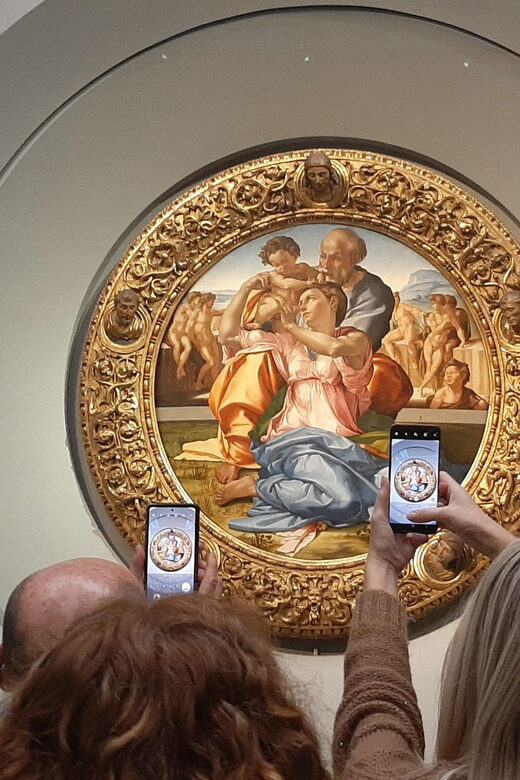
Book it if you want an art-first day with less waiting and you’re comfortable using your smartphone for audio and navigation. The best version of this experience is when Door n. 1 entry goes smoothly and the app runs cleanly from start to finish. If you show up with a charged phone and working headphones, you’re set up for a genuinely enjoyable self-guided museum day.
Skip it (or consider another option) if you’re the type who gets stressed by tech. The audio and the entry process are central here, and at least one person’s experience ran into both problems at once. In a place like the Uffizi, that kind of friction can reduce the value quickly.
FAQ
How much does the Uffizi Gallery skip-the-line ticket with APP cost?
It costs $61.49 per person.
How long is the ticket valid?
The ticket is valid for 1 day. You can check availability for starting times.
Where do I meet the assistant?
The start is close to door n. 1 (entrance reserved to booking holders).
What will the assistant look like?
The assistant waits wearing blue clothing with Caf Tour and Gray Line logos.
How do I get my skip-the-line ticket and APP access?
You’ll receive the app code and the skip-the-line ticket at the museum entrance, after downloading the app from the App Store.
Do I need my own smartphone?
Yes. APP users must provide their own smartphone.
Are headsets included?
No. Headsets are not included, so you’ll need your own headphones to listen to the audio tour.
What languages is the audio available in?
Chinese, English, French, German, Italian, and Spanish.
Is the experience suitable for children?
It is not available for ages 0–11. It also states it is not suitable for children under 12.
What is the cancellation policy?
Free cancellation is available up to 24 hours in advance for a full refund.




More Guided Tours in Florence
More Tickets in Florence



More Tour Reviews in Florence
- Tuscany Day Trip from Florence: Siena, San Gimignano, Pisa and Lunch at a Winery
★ 5.0 · 21,634 reviews - The Best tour in Florence: Renaissance & Medici Tales – guided by a STORYTELLER
★ 5.0 · 12,316 reviews